
بيشتغل إزايHow it works
ثلاث طرق تبدأ بيها، وبعدين كل حاجة خطوة بخطوة.Three ways to start, then everything step by step.
ابدأ زي ما تحبStart your way
سجّل بحساب GoogleSign in with Google
عشان تشارك المجموعات والطلبات مع صحابك على موبايلاتهم. من غير باسورد، ومجموعاتك بس اللي بتشوف بياناتك.To share groups and orders with friends on their own phones. No passwords, and only your groups see your data.
من غير حسابWithout an account
كل حاجة على الموبايل ده بس. مناسب لو انت اللي بتمسك الحساب للكل.Everything stays on this phone. Handy if you keep the accounts for everyone.
جرّب النسخة التجريبيةLook around the demo
أصحاب وطلبات وهمية عشان تشوف التطبيق بيشتغل إزاي. لما تخرج منها، بتتمسح وتبدأ باسمك.Made-up friends and orders to see how it works. When you leave, they're cleared and you start with your own name.
طلب أكل جماعيA group food order
ابدأ طلبStart an order
من الرئيسية أو من جوه مجموعة: اختار المطعم (أو واحد من المحفوظين)، ومين هيدفع للمطعم، وامتى الطلب يتقفل.From home or inside a group: pick the restaurant (or a saved one), who pays the restaurant, and when ordering closes.
ابعت الدعوةSend the invite
شارك اللينك على واتساب أو أي شات، أو خلّي صحابك يصوّروا الـ QR.Share the link on WhatsApp or any chat, or let friends scan the QR code.
كل واحد يضيف أكلهEveryone adds their food
الأصناف والكميات والتعديلات، من موبايل كل واحد. للصحاب اللي ضفتهم بالاسم، انت تضيف لهم.Items, quantities and tweaks, from each person's phone. For friends you added by name, you add theirs.
اقفل الطلب واطلبClose ordering and call it in
الملخص بيجمع الأصناف المتشابهة عشان تمليها للمطعم بسهولة.The summary groups identical items so it's easy to read out to the restaurant.
حط الأسعار والإضافاتEnter prices and charges
سعر كل صنف، وبعدين التوصيل والخدمة والضريبة والخصومات، وقارن بإجمالي المطعم.Each item's price, then delivery, service, tax and discounts, and compare with the restaurant's total.
ثبّت الفاتورةFinalise the bill
كل واحد بياخد إيصاله، والمبالغ بتتسجل عليه للي دفع.Everyone gets their receipt, and what they owe is recorded towards the payer.
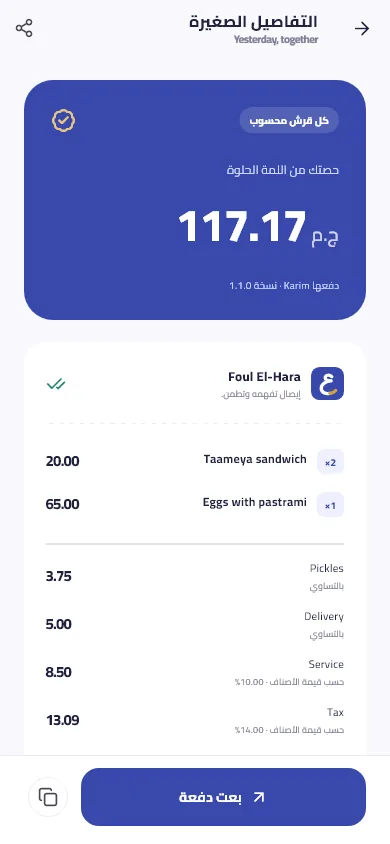
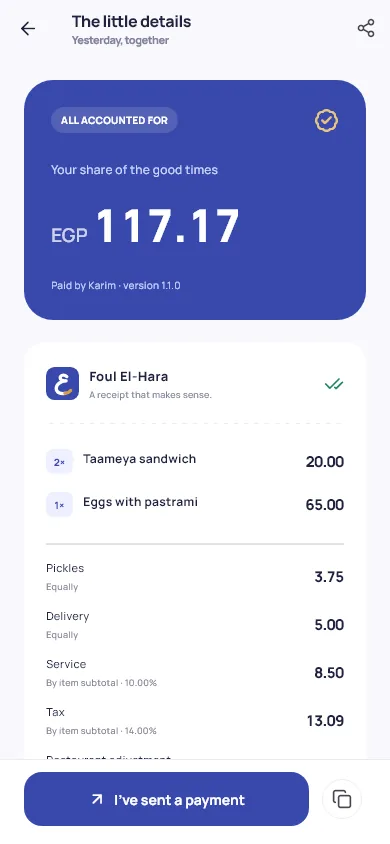
مثال: ثلاث صحاب وطلب واحدExample: three friends, one order
أحمد طلب بـ ١٢٠، ومحمود بـ ٨٥، وعمر بـ ٩٥ (المجموع ٣٠٠ ج.م). التوصيل ٣٠ ج.م بالتساوي، والخدمة ١٢٪ حسب قيمة طلب كل واحد:Ahmed ordered EGP 120, Mahmoued 85 and Omar 95 (EGP 300 in total). Delivery is EGP 30 split equally, and service is 12% by the value of each person's items:
لو إيصال المطعم طلع ٣٦٧ مثلًا، التطبيق بيوضح الجنيه الزيادة وتختار سببه وتقسمه إزاي، عشان الأرقام تقفل بالظبط.If the restaurant's receipt says 367, the app shows the extra pound and you choose why and how to split it, so the numbers close exactly.
مصاريف رحلة أو بيتTrip or home expenses
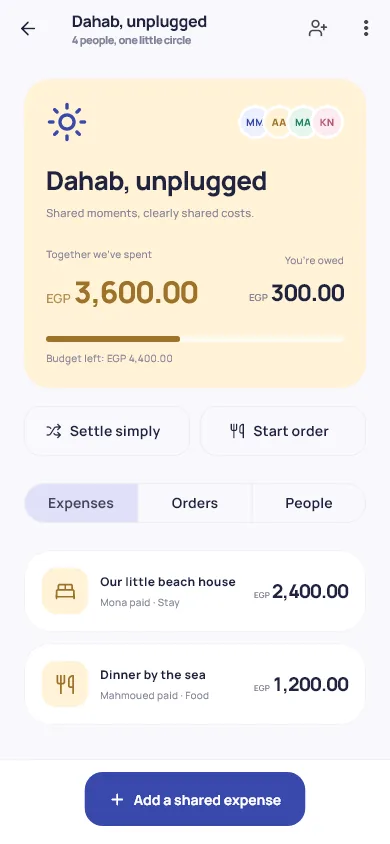
اعمل مجموعةCreate a group
سمّيها واختار نوعها: شغل، سفر، عيلة، أو صحاب.Name it and choose a type: work, trip, family or friends.
ضيف الناسAdd people
بلينك أو QR، أو بالاسم للي لسه معندهوش التطبيق.By link or QR, or by name for anyone without the app yet.
سجّل كل مصروفRecord each expense
مين دفع وقد إيه، وقسّمه بالتساوي أو بمبالغ محددة أو بنِسَب.Who paid and how much, split equally, by custom amounts or by weight.
صفّوا ببساطةSettle simply
التطبيق بيحسب أقل تحويلات تقفل الحساب، وكل واحد يعرف يدفع لمين وكام.The app works out the fewest transfers to close the balance, so everyone knows whom to pay and how much.
الدفع: «بعت» و«استلمت»Paying: “sent” and “received”
اللي عليه فلوسIf you owe
حوّل بالطريقة اللي متعودين عليها (كاش أو تحويل أو محفظة)، وانسخ بيانات الاستلام من التطبيق لو محتاجها. وبعدين دوس «بعت دفعة».Pay the way you usually do (cash, transfer or wallet), copying the payer's handle from the app if you need it. Then tap “I've sent a payment”.
اللي دفعIf you paid
لما الفلوس توصلك، أكد «استلمت». لحد ما تأكد، الدفعة بتفضل مستنية. ولو غلطت، تقدر تتراجع في ساعتها، وبعد كده التصحيح بيتسجل بشفافية.When the money arrives, confirm “received”. Until then the payment stays pending. If you tap by mistake you can undo right away; later corrections are recorded openly.
لو صاحبك بعتلك دعوةIf a friend sent you an invite
دوس على اللينكTap the link
لو التطبيق عندك، بيفتح على طول على المجموعة أو الطلب.If you have the app, it opens straight on the group or order.
معندكش التطبيق؟Don't have the app?
نزّله من Google Play، وارجع دوس على اللينك تاني.Install it from Google Play, then come back and tap the link again.
اختار اسمكPick your name
لو صاحبك كان ضايفك بالاسم، اختار اسمك عشان كل اللي عليك وليك يفضل معاك. لو جديد، اختار «أنا جديد».If a friend had added you by name, pick it so everything you owe and paid stays with you. If you're new, choose “I'm new here”.
جرّبها في اللمة الجايةTry it at the next get-together
مجاني على Google Play.Free on Google Play.
متاح علىGet it onGoogle Play